Copilot Analysis
The Copliot Analysis uses Creditsafe data reports together with other available online information about a company to perform an analysis. The default analysis type is a risk analysis. The Copilot Analysis will pull a fresh data report (if not already available with the current date) and analyses can be saved and available as historical data linked to Monitoring Objects.
The Copilot Analysis is implemented as a prompt and can be opened from:
- Monitoring object.
- Creditsafe Search.
- Factbox on Customer and Vendor.
Note
The Copilot & Agent Capability "Creditsafe Analysis" must be enabled to use the Copilot Analysis. The cabaility is registered as "Microsoft billed" meaning that billing needs to be setup in an Power Platform environment linked to the current Business Central environment. This video describes how to setup billing.
The Prompt
Using the Copilot Analysis starts with a prompt where the user can input complementary instructions. The prompt already have the neccesary instructions to perform an analysis of the selected analysis type.
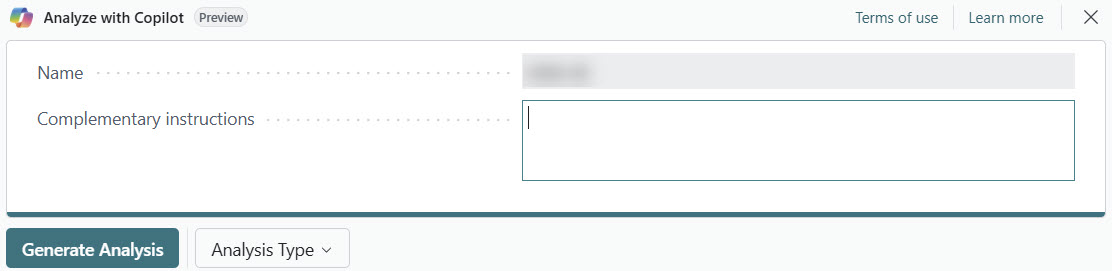
The "Generate analysis" action uses fresh Creditsafe data and produces an analysis as this example.
The Analysis
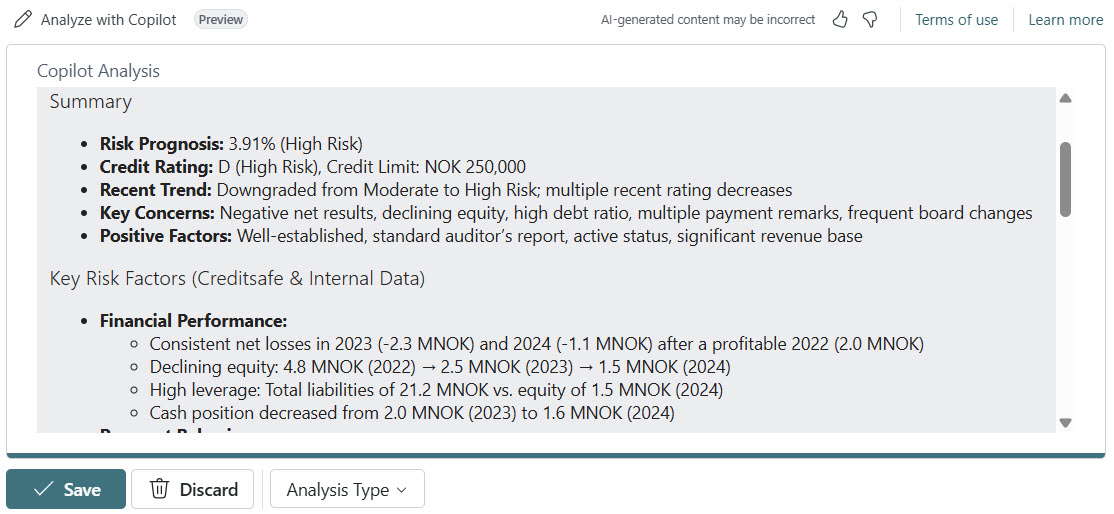
The analysis can be saved or discarded. If saved, the analysis will be available from the Copilot Analyses list that can be opened from the monitoring object.